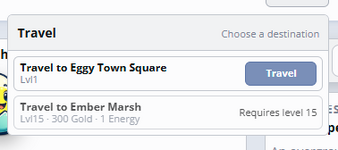
Hi,
Whenever I attempt to make changes in the Player Appearances area of RPG, it doesn't appear to function properly.
I see this:
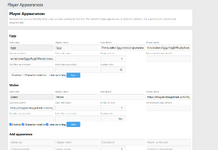
When I type something new in and click save, the web page just spins, and never finishes loading. I then refresh the page and see that what I had entered was saved, but I'm not sure it's actually working. I've tried to edit the Eggy information above to display my own image and change the name of the character, and I've tried to do what you see in the screenshot, creating a new character and then disabling the Eggy one. Can't figure out how to make my new Wober character appear.
Whenever I attempt to make changes in the Player Appearances area of RPG, it doesn't appear to function properly.
I see this:
When I type something new in and click save, the web page just spins, and never finishes loading. I then refresh the page and see that what I had entered was saved, but I'm not sure it's actually working. I've tried to edit the Eggy information above to display my own image and change the name of the character, and I've tried to do what you see in the screenshot, creating a new character and then disabling the Eggy one. Can't figure out how to make my new Wober character appear.